Environments built for coding agents
If you want agents to do the work humans do, give them what humans get on day one: a machine, credentials, Slack, Linear, Notion, Datadog, the GitHub org.
This also means that your job shifts. You’re less the person writing every line and more the person building the system that tells agents what good and bad looks like. This is mostly the same work as building good developer experience for humans.
This post outlines some things to think about when optimizing the environment where you run your coding agents.
Primitives, guardrails, and enablers
Names are a work in progress, don’t quote me on these in six months. But here’s a first attempt at carving up the space.
Primitives and patterns are the building blocks agents reach for instead of inventing their own.
- Co-located code. When the thing an agent needs is next to the thing it’s editing, it finds it. Three directories away behind an abstraction, it doesn’t.
- Usage patterns. How you encode “this is how we do it here.” An NPM script that ships with your package, an example in the README etc
Guardrails tell agents whether they’re on track.
- Rules. Proactive. They shape behavior before the agent acts. A Bugbot rule for database migrations can catch the unsafe pattern before it gets written.
- Hooks. Reactive. Edits to specific files trigger a tool or block the change outright.
- Tests. If the agent can’t verify its own work, you’re the bottleneck.
Enablers are what let agents run longer without a human in the loop
- Skills. Package up repeated work. Adding a feature flag, scaffolding a new endpoint, anything you’ve explained more than twice.
- MCPs. Connect agents to systems your team already lives in. Slack for context, Datadog for logs.
Testing your environment
The only real way to know where you stand is to run an agent and watch what happens.
Can it start your local environment? Most codebases have setup steps that live as tribal knowledge and have never been written down. Agents have no tribe (yet)
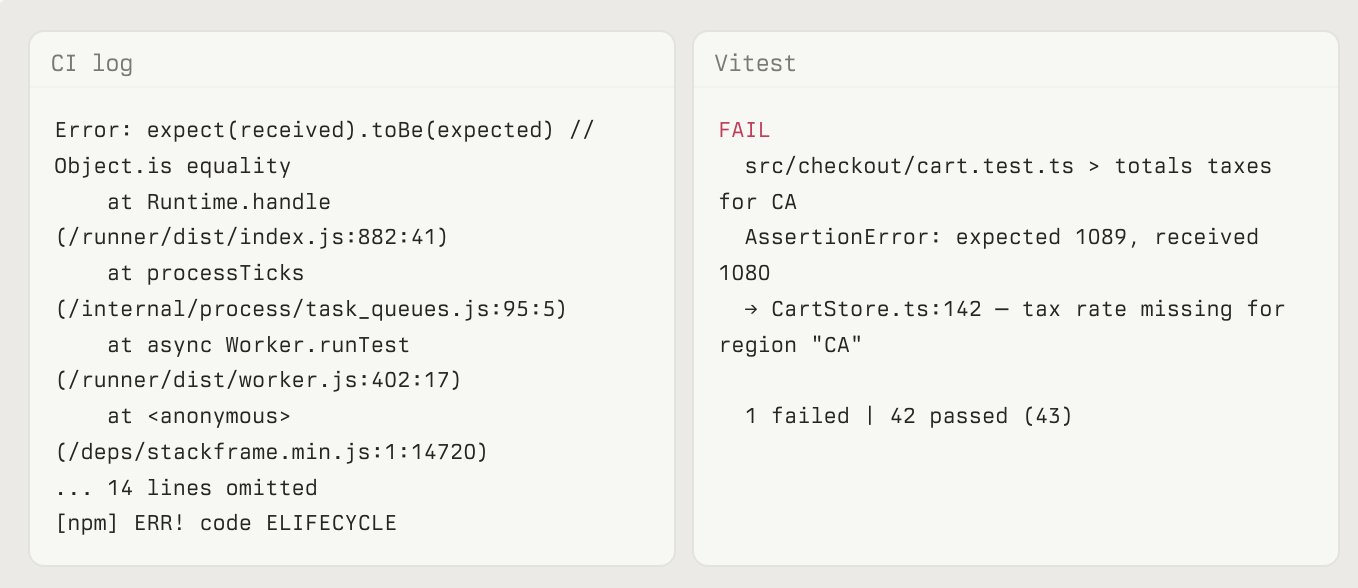
Can it run tests and make sense of the output? If the output is noisy or the failures are cryptic, the agent guesses. Your teammates probably guess too, they’re just better at it.
Can it pull external context? Logs, issues, tasks, version history. If it hits a dead end the moment it needs information from another system, you’re going to be the human in the loop forever.
Can it verify its own changes? Tests, type checks, a dev server it can hit, screenshots from a headless browser. If the agent has no way to confirm its own work, you become the verification step, and the loop only moves as fast as you do.
Why it makes sense now
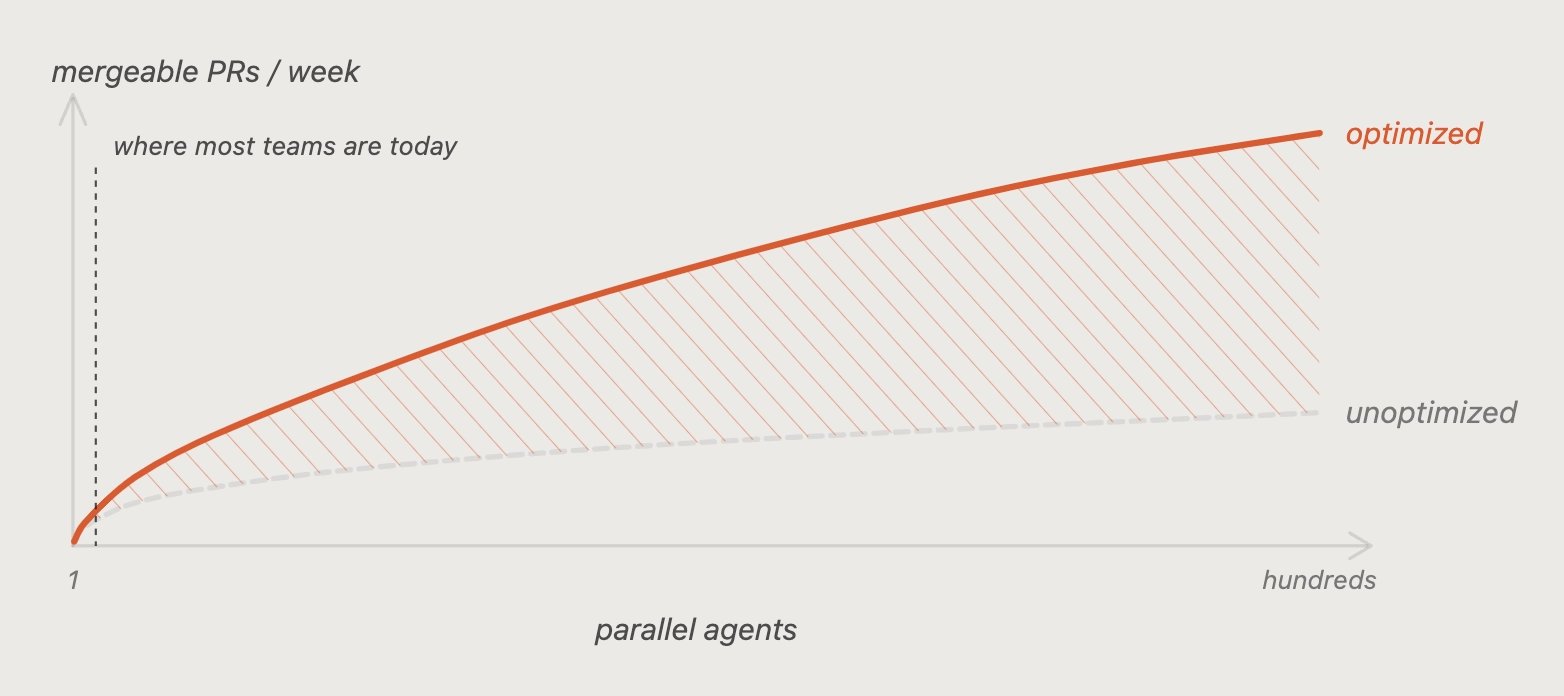
This kind of work was always hard to justify on small teams. You’d spend a week optimizing the process of doing the thing instead of just doing the thing. Whatever you put into setup compounds across every parallel agent you run, and you can run a lot of them.
Models are getting better. If you believe that (I very much do) the codebases and environments that are ready will pull ahead fast.
Next step
Once the environment is in shape, the next step is giving agents their own machines. This is what we’ve trying to do with cloud agents at Cursor where each agent runs on its own isolated VM with a full dev environment, and can verify its own work before handing back a PR with screenshots, videos, and logs.
There’s so much to do in this space, and at Cursor we’re heavily dogfooding our cloud agents to understand where the next challenges and bottlenecks will be let more agents run for longer.
Let me know what I missed!
Want agents to do human work? Give them what humans get on day one: machine, credentials, Slack, Linear, Notion, Datadog, GitHub org.
Your job shifts. Less writing every line, more building system that tells agents what good and bad looks like. Mostly same work as good developer experience for humans.
This post: things to consider when optimizing environment your coding agents run in.
Primitives, guardrails, and enablers
Names are work in progress. Do not quote me in six months. First carve of space.
Primitives and patterns: building blocks agents reach for instead of inventing own.
- Co-located code. Thing agent needs sits next to thing it edits, agent finds it. Three directories away behind abstraction, it does not.
- Usage patterns. How you encode “this is how we do it here.” NPM script shipped with package, README example etc
Guardrails tell agents whether they are on track.
- Rules. Proactive. Shape behavior before agent acts. Bugbot rule for database migrations catches unsafe pattern before it is written.
- Hooks. Reactive. Edits to specific files trigger tool or block change outright.
- Tests. Agent cannot verify own work, you are bottleneck.
Enablers let agents run longer without human in loop
- Skills. Package repeated work. Feature flag, endpoint scaffold, anything explained more than twice.
- MCPs. Connect agents to systems team already lives in. Slack for context, Datadog for logs.
Testing your environment
Only real test: run agent, watch.
Can it start your local environment? Most setup steps are tribal knowledge, never written down. Agents have no tribe (yet)
Can it run tests and make sense of output? Noisy output, cryptic failures: agent guesses. Teammates guess too, only better.
Can it pull external context? Logs, issues, tasks, version history. Dead end whenever it needs another system, you are human in loop forever.
Can it verify its own changes? Tests, type checks, dev server to hit, headless browser screenshots. No self-verification, you are verification step. Loop moves as fast as you.
Why it makes sense now
Hard to justify on small teams before: week optimizing process instead of doing thing. Now setup work compounds across every parallel agent, and you can run many.
Models get better. Believe that (I very much do), and ready codebases and environments pull ahead fast.
Next step
Environment ready, next: agents get own machines. Cloud agents at Cursor do this. Each agent runs on isolated VM with full dev environment, verifies own work, hands back PR with screenshots, videos, logs.
So much to do here. At Cursor we heavily dogfood cloud agents to find next challenges and bottlenecks, let more agents run longer.
Tell me what I missed!